Export File Configuration
Step 2 Wizard
- Export Settings
- Data Format Type
- Character Encoding
- Date Format
- Numeric Precision
- Write Mode
- Text Delimiter
- Separation Configurations
- Output File/Folder Management
Export Settings
The second step of the wizard represents the core of technical configuration, where all parameters that determine how data will be extracted, formatted, and saved in the final CSV file are defined. This section is divided into several thematic areas that allow granular control over every aspect of the export:
- Data Format Type
- Character Encoding
- Date Format
- Numeric Precision
- Write Mode
- Text Delimiter
- Separation Configurations
- Output File/Folder Management
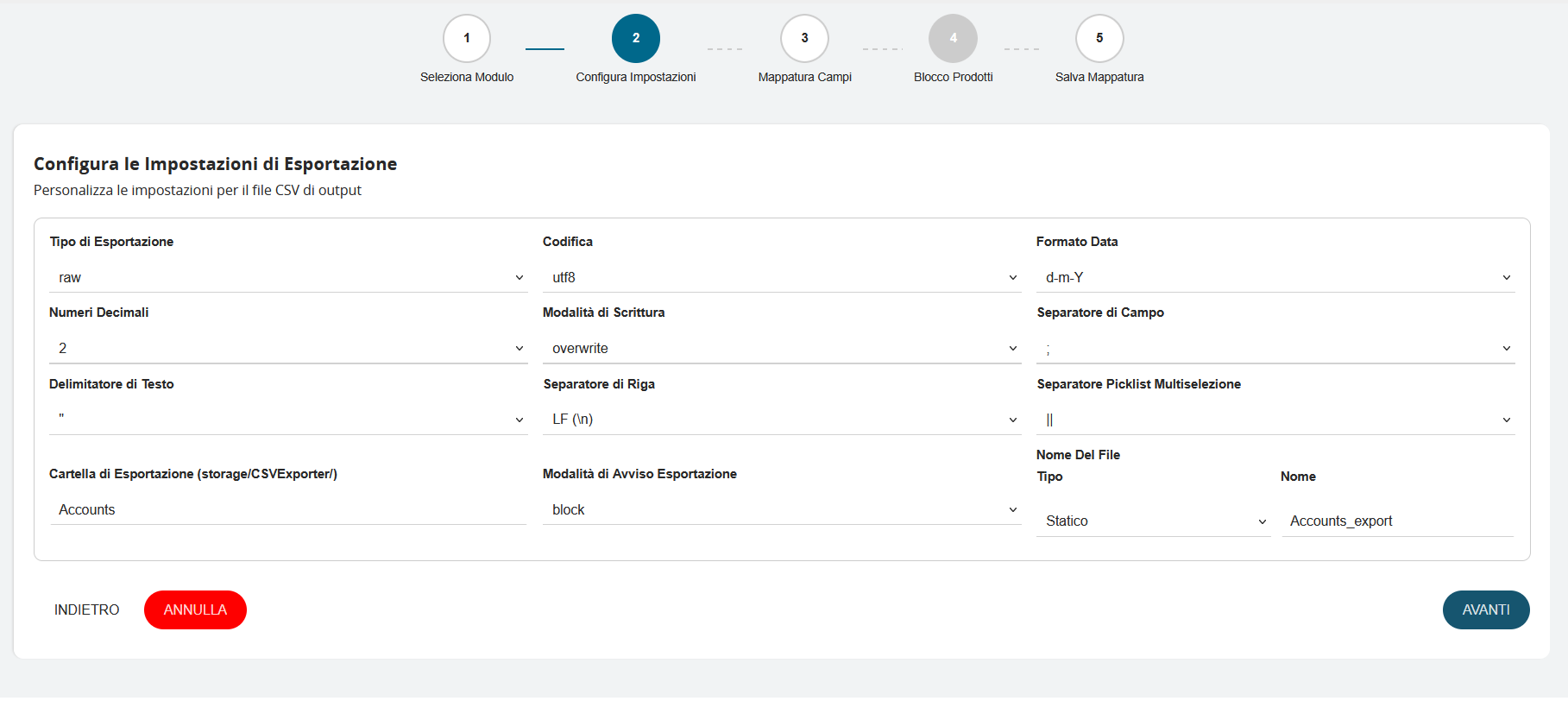
Data Format Type
The Export Type field offers two distinct modes for extracting and formatting data from the database:
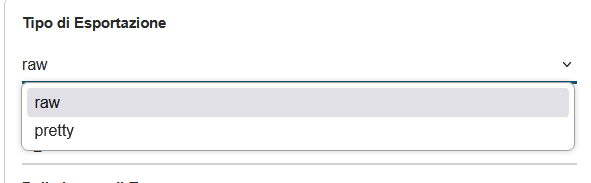
- Raw: This mode represents the most direct and performant approach for data export. When this option is selected, the system:
- Extracts data directly from the database without applying any additional processing
- Maintains values exactly as they are stored in the system
- Preserves maximum fidelity of original information
- Ensures optimal export speed, particularly important for large data volumes
- Is ideal for technical analysis, data backups, or when absolute information integrity must be preserved
- Pretty (Formatted Data): This mode applies a series of processing operations to make data more readable and user-friendly:
- Formats values according to CRM display settings
- Converts internal codes to descriptive labels
- Applies specific formatting rules for each field type
- Translates picklist values to their textual equivalents
- Is optimal for reports intended for human reading or presentations
The choice between these two modes depends on the final use of the CSV file: use "raw" for technical processing and "pretty" for reports and analysis intended for direct consultation.
Character Encoding
Character Encoding
The "Encoding" field determines the character set used to save the CSV file, directly affecting the compatibility and readability of exported data. The system offers four main options:
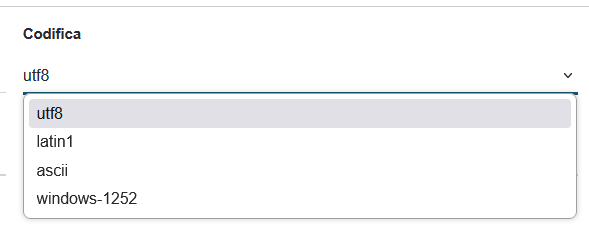
-
UTF-8 (Unicode Transformation Format - 8 bit): represents the modern international standard and the recommended choice:
- Supports all Latin alphabet characters, including accents and special characters (à, è, ì, ò, ù, ç)
- Handles international symbols, Cyrillic, Greek, Arabic, and Asian characters
- Ensures correct display in modern software (Excel, LibreOffice, Google Sheets)
- Preserves the integrity of names, addresses, and descriptions containing accented characters
-
Latin1 (ISO-8859-1): is an older Western European encoding:
- Supports Latin alphabet characters with accents used in Western Europe
- Compatible with legacy systems and older software
- Slightly reduced file sizes compared to UTF-8
- Limited in handling non-European characters
-
ASCII (American Standard Code for Information Interchange): the most basic and limited:
- Supports only basic English alphabet characters (A-Z, a-z, 0-9)
- Does not handle accents, special characters, or international symbols
- Maximum compatibility with very old systems
- Not recommended for Italian or international content
-
Windows-1252 (CP-1252): specific to Windows systems:
- ASCII extension that includes Western European characters
- Optimal compatibility with previous versions of Microsoft Excel
- Supports accented characters and some special symbols
- May cause display issues on non-Windows systems
Recommendation: For most use cases, especially in Italian contexts, UTF-8 is recommended for its universality and compatibility with modern software. Use alternative encodings only in specific cases of legacy system compatibility.
Date Format
The "Date Format" field defines how dates will be represented in the exported CSV file. The system offers five distinct formats to adapt to different geographical needs and software compatibility requirements.
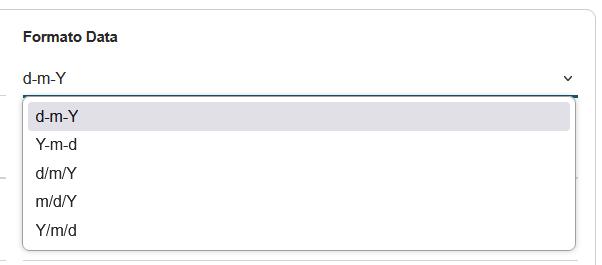
The "d-m-Y" (day-month-year) format standardizes date representation according to the European format. This setting ensures consistency in date display and facilitates data processing by analysis software or spreadsheets configured for the Italian format.
Numeric Precision
The "Decimal Numbers" field controls the numeric precision of all decimal values in the exported CSV file. The system offers five precision levels, from 1 to 5 decimal places:
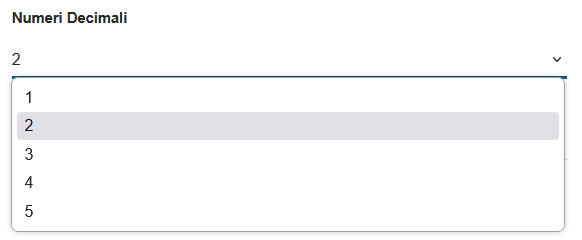
Two decimal places represent the ideal compromise for most business CSV exports, ensuring precise data without unnecessarily increasing file size or compromising readability.
Write Mode
The "Write Mode" field determines system behavior when a CSV file with the same name already exists in the destination folder. The system offers two distinct approaches:
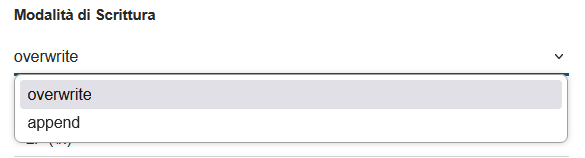
- Overwrite: represents the complete replacement approach.
- Advantages:
- Always ensures updated and consistent data
- Prevents accumulation of duplicate files
- Maintains clean folder organization
- Disadvantages:
- Permanent loss of the previous version
- Inability to recover historical data
- Ideal usage: Recurring exports where only the most recent version is needed
- Advantages:
- Append: adds new data to the existing file, with new records queued at the end of the existing file.
- Advantages:
- Preserves all historical data
- Creates a cumulative archive over time
- Allows trend analysis and temporal comparisons
- Disadvantages:
- Possible data duplication
- Files growing in size over time
- Need to manage multiple headers
- Ideal usage: Activity logs, historical archives, incremental data collection
- Advantages:
Text Delimiter
The "Text Delimiter" field defines the character used to enclose text fields in the CSV file, ensuring correct data interpretation even when they contain special characters. The system offers three main options:
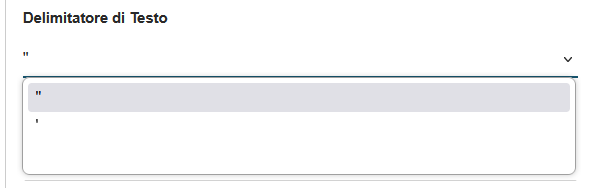
- Double Quotes (") - Recommended Double quotes represent the international standard for CSV files:
- Example: "Mario Rossi","Via Roma, 123","Milano"
- Advantages:
- Universal standard recognized by all software
- Protects fields containing commas (field separator)
- Correctly handles text with leading/trailing spaces
- Guaranteed compatibility with Excel, LibreOffice, Google Sheets
- Usage: Recommended for all standard exports
- Single Quotes (') Single quotes offer a less common alternative:
- Example: 'Mario Rossi','Via Roma, 123','Milano'
- Advantages:
- Useful when text frequently contains double quotes
- Reduces the need for character escaping
- Disadvantages:
- Less compatible with standard software
- May cause interpretation issues
- Usage: Only in specific cases or for compatibility with particular systems
- No Delimiter The no delimiter option eliminates any protection character:
- Example: Mario Rossi,Via Roma 123,Milano
- Advantages:
- Lighter and more compact files
- Faster processing
- Disadvantages:
- Serious problems if data contains the field separator
- Loss of precision with leading/trailing spaces
- Incompatibility with many standard software applications
- Usage: Not recommended; use only if certain that data contains no problematic characters
Recommendation: Always use double quotes (") to ensure maximum compatibility and data protection, especially in the presence of complex text or addresses containing commas.
Separation Configurations
Separation Configurations
This section controls the characters used to structure and organize data in the CSV file, defining how fields, rows, and multiple values are separated.

"Field Separator": defines the character that divides columns in the CSV file:
-
Comma (,) - International standard
- Format: "Field1","Field2","Field3"
- Universal compatibility with all software
- Recommended for most use cases
-
Semicolon (;) - European standard
- Format: "Field1";"Field2";"Field3"
- Used in countries that employ comma as decimal separator
- Compatible with European locale settings in Excel
-
Tab (\t) - Tab separator
- Invisible but very effective for complex data
- Ideal when text contains commas and semicolons
- Excellent readability when opened in text editors
Row Separator: determines the character that indicates the end of each record:
-
LF (\n) - Line Feed (Recommended):
- Unix/Linux and modern macOS standard
- Optimal compatibility with modern software
- Reduced file sizes
-
CRLF (\r\n) - Carriage Return + Line Feed
- Traditional Windows standard
- Required for compatibility with legacy Windows software
- Slightly larger files
-
CR (\r) - Carriage Return
- Classic Mac standard (pre-OS X)
- Rarely used in modern systems
- Maintained for historical compatibility
Multiselect Picklist Separator: handles fields that can contain multiple values:
-
Double Pipe (||) - Recommended
- Example: "Value1||Value2||Value3"
- Distinctive separator that rarely appears in data
- Easy to identify and process programmatically
-
Semicolon (;)
- Example: "Value1;Value2;Value3"
- More readable alternative for end users
- Caution not to confuse with field separator
-
Comma (,)
- Example: "Value1,Value2,Value3"
- Not recommended if comma is also the field separator
- Can cause interpretation issues
Practical Usage Examples
Multiselection field "Product Categories":
- With ||: "Electronics||Computer||Gaming"
- With ;: "Electronics;Computer;Gaming"
- With ,: "Electronics,Computer,Gaming" (problematic if , is field separator)
Recommendation: Use comma (,) as field separator, LF (\n) as row separator, and double pipe (||) for multiselections to ensure maximum compatibility and clarity in data structure.
Output File/Folder Management
This section defines settings for output file management, including destination, notifications, and naming of the final CSV file.

-
Export Folder: displays the destination path where CSV files will be saved:
- Base path:
storage/CSVExporter/ - Structure: The system automatically creates a subfolder for each module
- Example:
storage/CSVExporter/Accounts/for the Account module
- Base path:
-
Export Notification Mode: controls how the user is informed upon operation completion through:
- Block: alert that blocks the user interface
- Alert: displays a non-blocking notification
-
File Name: The file name configuration comprises two fundamental elements that determine how the final CSV file will be named:
-
Type: The system offers two approaches for file name creation. "Static" mode always maintains the same name for each export, ensuring predictability and ease of identification, but carries the risk of overwriting previous versions. "Dynamic" mode automatically generates unique names using variable criteria such as timestamps or incremental numbers, thus preserving export history but creating less predictable names.
-
Name: defines the identifying base of the CSV file. In the example shown,
Accounts_exportwill automatically becomeAccounts_export.csvonce the export is completed. It is essential to use descriptive names that reflect the file content, avoiding special characters or spaces that could cause compatibility issues with different operating systems. Examples of effective naming includeActive_customers_2025,Monthly_orders_march, orPaid_invoices_2025, which provide immediate information about the content and reference period of the exported data.
-