
Advanced Product Block Configuration
The screen maintains the same mapping structure as Step 3, but focuses exclusively on product-related fields. The system presents all available fields for products of the selected module, allowing targeted selection of information to export.

The interface again presents the two main columns working in coordination:
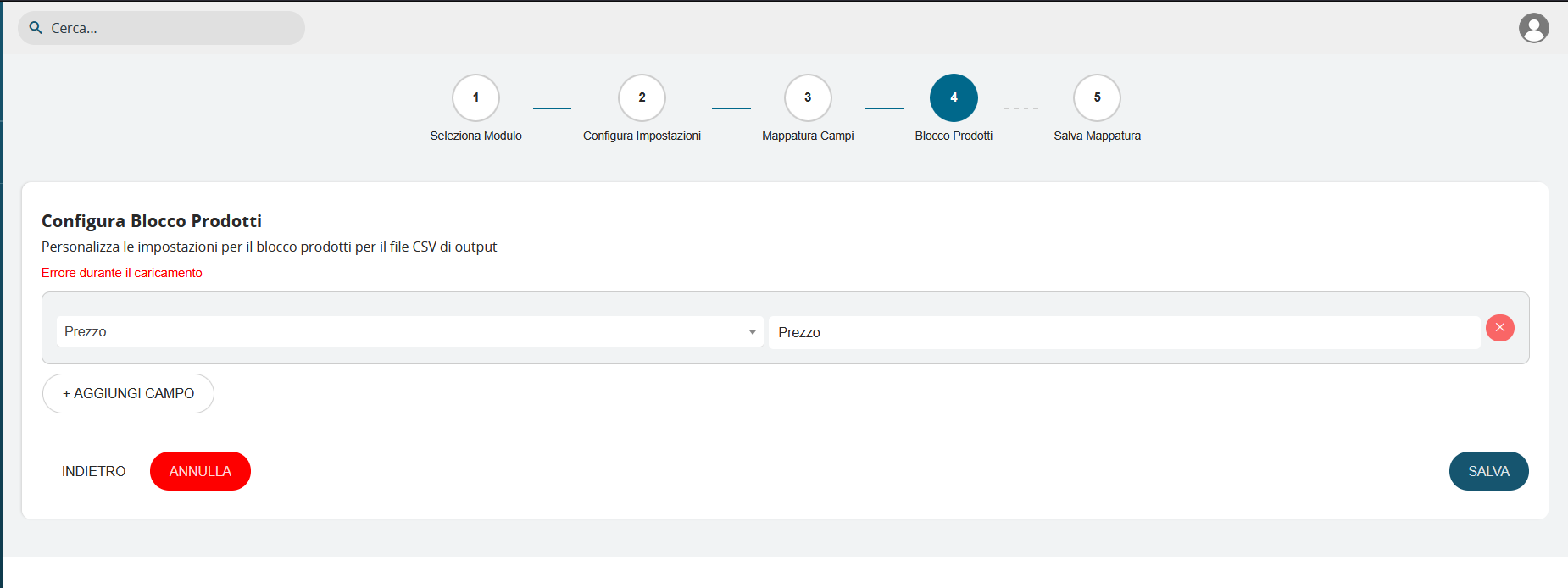
VTE Field Column: Displays the specific product block fields available in the system, such as "Subject," "Product Block," "Type," "Header," and other product-specific attributes.
CSV Field Column: Allows defining how these product fields will appear in the final CSV file, with the ability to fully customize column names.
The system implements an intelligent field inheritance mechanism: when a main field containing sub-structures is selected, the system automatically inherits all connected fields, presenting them in the configuration to enable complete and detailed mapping.
The true power of this configuration emerges when selecting complex fields such as "Split Discount." In this case, the system automatically recognizes that this field contains an articulated data structure and presents all associated sub-fields to the user. Therefore, with "Split Discount," the system automatically expands the mapping showing all specific components:
- Discount Percentage 1: First level of applicable discount
- Discount Percentage 2: Second level of applicable discount
- Discount Percentage 3: Third level of applicable discount
- Discount Percentage 4: Fourth level of applicable discount
- Discount Percentage 5: Fifth level of applicable discount
- Discount Amount: Absolute value of the applied discount
This approach ensures that no important data is lost during export and that the user always has complete control over the final CSV structure, being able to decide which specific sub-fields to include or exclude from the export.
