
Mapping - Introduction
The third step defines the correspondence between VTE module fields and the columns that will appear in the final CSV file. This phase is crucial for determining which information will be exported and how it will be structured.
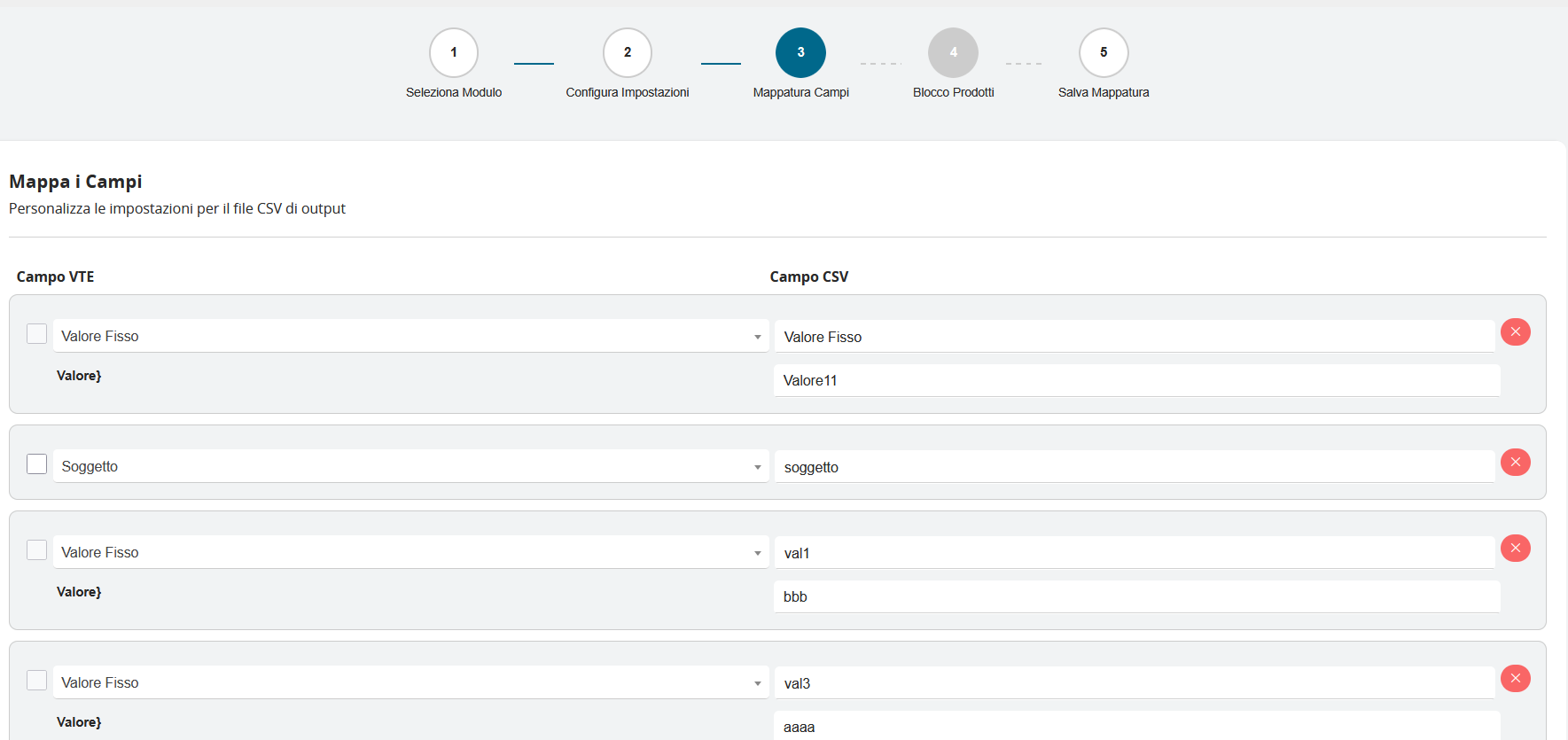
The mapping interface is organized into two main columns that work together in a coordinated manner:
Left Column - VTE Field This section displays the available fields in the selected module, with specific characteristics:
- Selection checkbox: Allows including or excluding each field from the export
- Field name: Descriptive label of the field in the VTE system
- Field type: Automatic identification between dynamic fields and fixed values
Right Column - CSV Field This section defines how fields will appear in the output file:
- Column name: Label that will appear as header in the CSV
- Editable field: Ability to fully customize the column name
- Removal control: X button to delete individual mappings