
First Installation
When the plugin is installed for the first time, or when no valid license is available, the system requires the user to enter a license key in order to enable the module’s features.
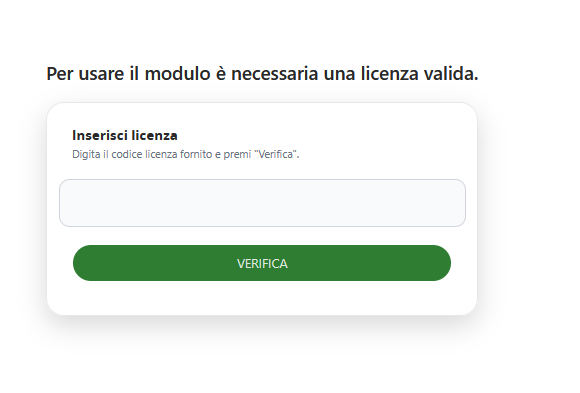
License Entry Screen
The system displays a dedicated screen with the following elements:
-
Information message: “A valid license is required to use this module”
-
Input field: Text area for entering the license key
-
Instructions: “Enter the provided license key and click ‘Verify’”
-
VERIFY button: Validates the entered license key
Verification Process
-
Enter the license key in the designated field
-
Click the green VERIFY button
-
The system automatically validates the key
-
If the key is valid, the plugin is activated
-
If the key is invalid, an error message is displayed