
Character Encoding
Character Encoding
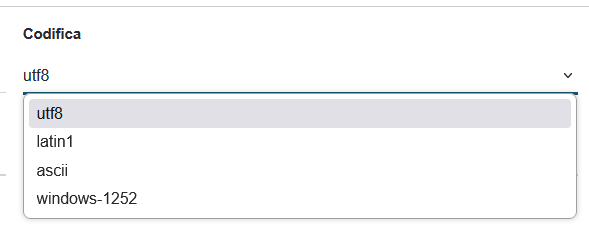
The "Encoding" field determines the character set used to save the CSV file, directly affecting the compatibility and readability of exported data. The system offers four main options:
-
UTF-8 (Unicode Transformation Format - 8 bit): represents the modern international standard and the recommended choice:
- Supports all Latin alphabet characters, including accents and special characters (à, è, ì, ò, ù, ç)
- Handles international symbols, Cyrillic, Greek, Arabic, and Asian characters
- Ensures correct display in modern software (Excel, LibreOffice, Google Sheets)
- Preserves the integrity of names, addresses, and descriptions containing accented characters
-
Latin1 (ISO-8859-1): is an older Western European encoding:
- Supports Latin alphabet characters with accents used in Western Europe
- Compatible with legacy systems and older software
- Slightly reduced file sizes compared to UTF-8
- Limited in handling non-European characters
-
ASCII (American Standard Code for Information Interchange): the most basic and limited:
- Supports only basic English alphabet characters (A-Z, a-z, 0-9)
- Does not handle accents, special characters, or international symbols
- Maximum compatibility with very old systems
- Not recommended for Italian or international content
-
Windows-1252 (CP-1252): specific to Windows systems:
- ASCII extension that includes Western European characters
- Optimal compatibility with previous versions of Microsoft Excel
- Supports accented characters and some special symbols
- May cause display issues on non-Windows systems
Recommendation: For most use cases, especially in Italian contexts, UTF-8 is recommended for its universality and compatibility with modern software. Use alternative encodings only in specific cases of legacy system compatibility.