
Text Delimiter
The "Text Delimiter" field defines the character used to enclose text fields in the CSV file, ensuring correct data interpretation even when they contain special characters. The system offers three main options:
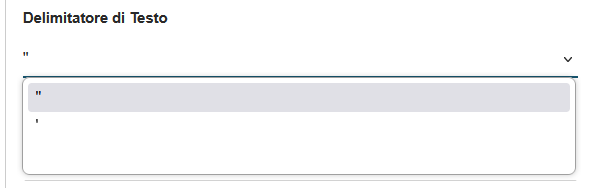
- Double Quotes (") - Recommended Double quotes represent the international standard for CSV files:
- Example: "Mario Rossi","Via Roma, 123","Milano"
- Advantages:
- Universal standard recognized by all software
- Protects fields containing commas (field separator)
- Correctly handles text with leading/trailing spaces
- Guaranteed compatibility with Excel, LibreOffice, Google Sheets
- Usage: Recommended for all standard exports
- Single Quotes (') Single quotes offer a less common alternative:
- Example: 'Mario Rossi','Via Roma, 123','Milano'
- Advantages:
- Useful when text frequently contains double quotes
- Reduces the need for character escaping
- Disadvantages:
- Less compatible with standard software
- May cause interpretation issues
- Usage: Only in specific cases or for compatibility with particular systems
- No Delimiter The no delimiter option eliminates any protection character:
- Example: Mario Rossi,Via Roma 123,Milano
- Advantages:
- Lighter and more compact files
- Faster processing
- Disadvantages:
- Serious problems if data contains the field separator
- Loss of precision with leading/trailing spaces
- Incompatibility with many standard software applications
- Usage: Not recommended; use only if certain that data contains no problematic characters
Recommendation: Always use double quotes (") to ensure maximum compatibility and data protection, especially in the presence of complex text or addresses containing commas.