
Configuring an Exchange Server User
With Exchange Server, the user is configured from their vtenext profile using Exchange credentials.
Required data
Check at least:
- Exchange Username;
- Exchange Password;
- optional Exchange Sync Date;
- Exchange folders;
- Is Resource or Impersonation when actually used.
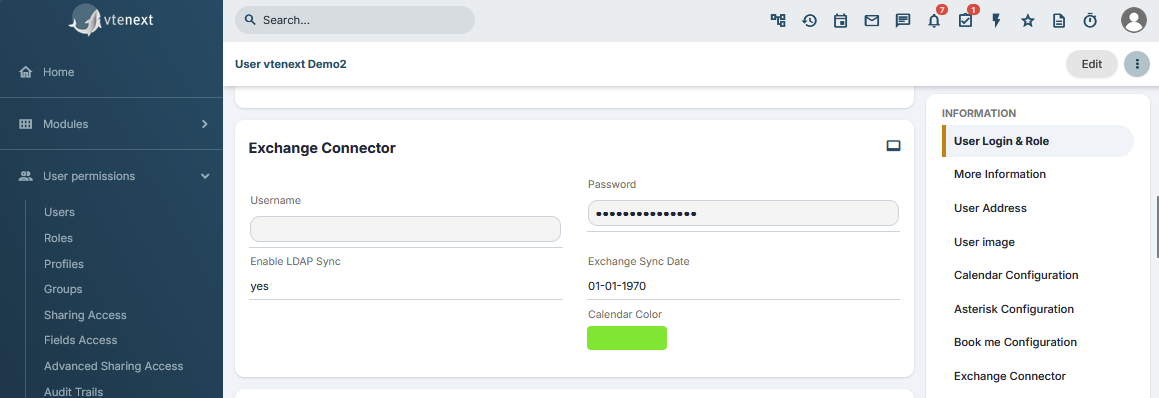
Credential test
When user preferences are saved, the connector attempts to sign in to Exchange. If the credentials are valid, the profile is saved normally; if the credentials are incorrect or another connection problem exists, vtenext reports the issue and prevents the configuration from being saved.
If the test reports an invalid username or password, correct the credentials first. Do not continue changing folders or restarting synchronization until the Exchange login works.
Folder selection
Once access has been validated, select the folders used for Calendar, Tasks and Contacts. The connector can show both default and custom mailbox folders.
After saving
- Create a test event in vtenext.
- Verify that it appears in the selected Exchange calendar.
- Modify it in Exchange.
- Verify that the change returns to vtenext.
Repeat the test for any other enabled modules.
Exchange password changes
If the user changes their Exchange password, update the password in the vtenext profile as well. Synchronization can stop until the password is updated.