
Viewing Field Mapping
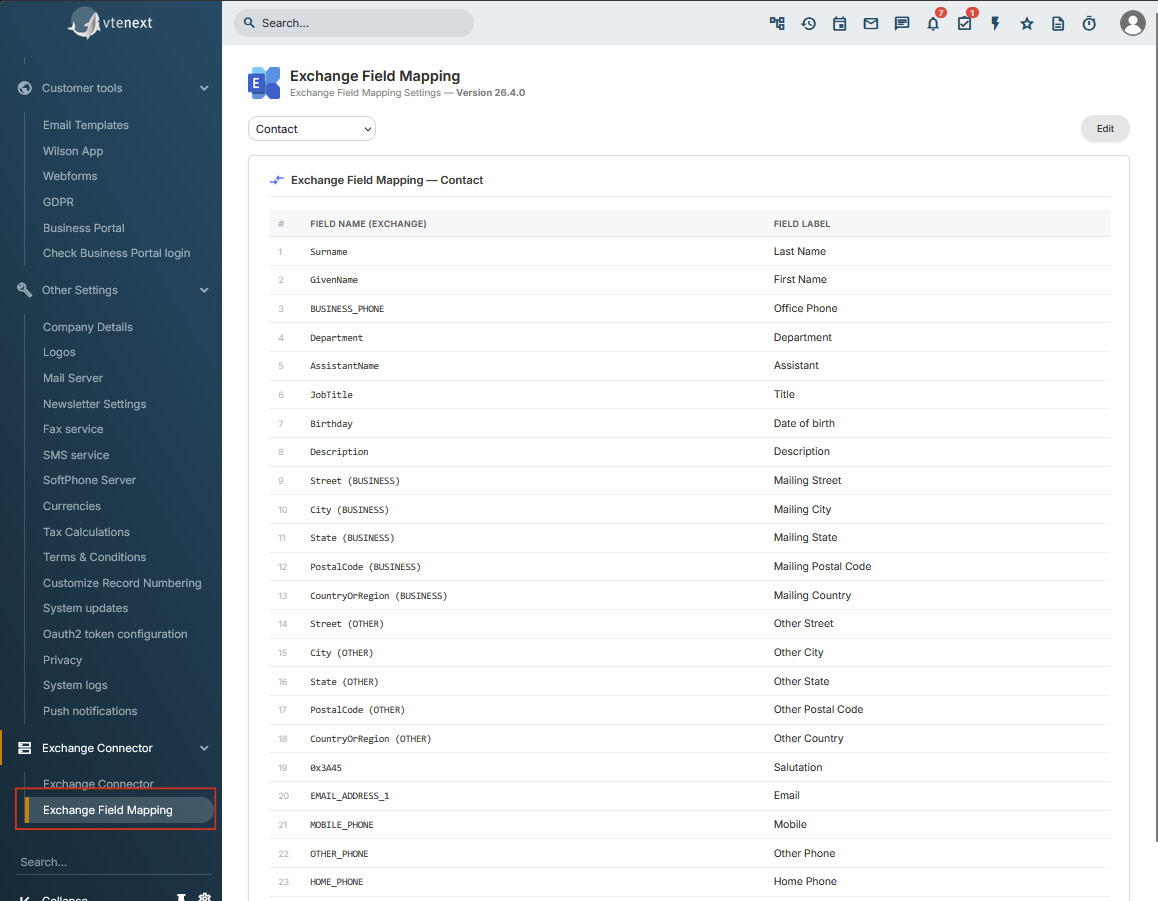
Field mapping defines which Exchange field corresponds to which vtenext field.
For example, the main Exchange e-mail field can be mapped to the vtenext Contact e-mail field, the business phone to the company phone field, and so on.
Where to find it
Open Settings > Exchange Field Mapping.
The page allows you to select a module and displays, for each row, the Exchange field and the associated vtenext field.
Available modules
Mappings are available for Contacts, Organizations, Calendar / Events and Tasks. In the normal 24.08 interface, custom editing is available for Contacts and Organizations; Calendar and Task mappings are visible but are not edited with the same button.
Locked fields
Some rows are mandatory or structural and are shown as locked. These fields cannot be changed from the mapping page.
Before making changes
- Take a screenshot of the current mapping.
- Check whether the module is already used by many users.
- Identify which fields are actually required.
- Read What Happens When a Mapping Is Changed.
A mapping change is not only a visual configuration change: it can trigger a new synchronization of existing records.